Skip to Navigation | Skip to Content

Web Form Design

Filling in the Blanks

Web Forms

By Luke Wroblewski. Rosenfeld Media, May 2008.
Availability: Paperback + PDF (1-933820-24-1); 2 PDF editions (1-933820-25-X)

Web Form Design

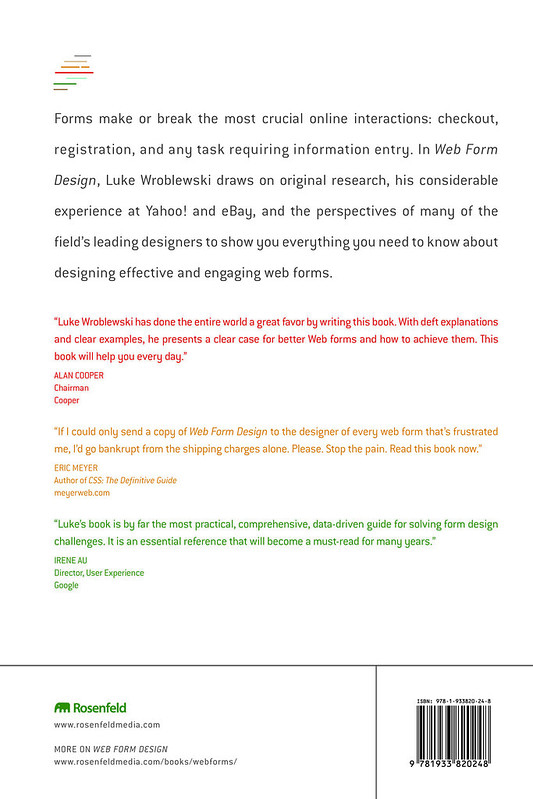
Forms make or break the most crucial online interactions: checkout (commerce), registration (community), data input (participation and sharing), and any task requiring information entry. In Web Form Design, Luke Wroblewski draws on original research, his considerable experience at Yahoo! and eBay, and the perspectives of many of the field's leading designers to show you everything you need to know about designing effective and engaging Web forms.

"Luke Wroblewski has done the entire world a great favor by writing this book. Online forms are ubiquitous and ubiquitously annoying but they don't have to be. Wroblewski shows Web designers how to present forms that gather necessary information without unnecessarily badgering and annoying visitors. With deft explanations and clear examples, he presents a clear case for better Web forms and how to achieve them. This book will help you every day."
—Alan Cooper, Chairman, Cooper; author, The Inmates are Running the Asylum (more testimonials)

Web Form Design is available in full-color paperback and digital (PDF) versions. Supplemental content is available on this site, and all of the book's images can be downloaded from Flickr.

Book Development

This blog was used to develop the book; visit its archives, or continue to read new updates from Luke Wroblewski at Functioning Form.

“Web Form Design”

The blog “Web Form Design” continues to cover Web Form Design; subscribe.

Event & Discount: Design for Mobile

On September 20-21st 2010 I?ll be presenting a workshop and speaking at D4M Design for Mobile in Chicago, IL about Mobile Input and Forms.

Design for Mobile

Design For Mobile is the first and only North American mobile user experience conference and features mobile design leaders from Google, eBay, Microsoft, and more. The conference focuses on mobile strategy and tactics for user research, product definition, interaction design, and usability.

If you are as excited as me about this event and interested in going, feel free to use the discount code: lwroblewski for 15% savings on the event cost.


Hope to see some of you there!

Web App Masters Tour Summary

After four great stops, the UIE Web App Masters Tour came to a close in Seattle, WA this week. Throughout the tour, I took extensive notes and wrote up a couple of articles on what I learned from the experts on this conference tour.

Web App Masters Tour

Some talks on the tour were only given once, others were presented at each city. I included several links for the presentations that were either updated by speakers or further documented (with more details) by me as the tour went on. Enjoy!

Where Worlds Collide

In his opening presentation, Jared Spool outlined how design organizations can deliver the holistic experiences Web applications users increasingly expect.

Serious Play: Designing Seductive Business Apps

Stephen Anderson's Serious Play talk outlined how principles from psychology could be used to motivate Web application users.

Escaping Navigation Hell

Hagan Rivers walked through several strategies for getting people around Web applications with lots of screens including application maps and four distinct kinds of navigation.

Designing The Social In

Christian Crumlish provided an overview of social design principles and patterns.

Design Lessons from 350 Million

Julie Zhuo described how the Facebook design team creates experiences for Facebook's users.

Backstage with 37signals

37signals founder, Jason Fried described how 37signals solves design problems and collaborates by showing four days worth of chat transcripts about an ongoing redesign project at the company.

Designing for Interesting Moments

Bill Scott outlined several rich interaction design principles and showed them in action within several Web applications.

Care of a Corporate Cash Cow

Ken Kellogg discussed the challenges inherent in The Care and Feeding of a Corporate Cash Cow by sharing his experiences managing user research for the redesign of Marriott.com.

Input: Moving Beyond Forms

I discussed several ways Web applications can collect user input, through both mobile devices and desktop software, without forcing users to complete a lengthy sequential forms.

A Simple Ladder of Engagement

Mark Trammell outlined Twitter?s approach to helping new and one-time users become loyal repeaters by discussing the company?s focus on engagement.

Turning Back to the Future

In his closing keynote, Jared Spool outlined the role of an experience vision in keeping design teams focused and innovating.

Input: Moving Beyond Forms

In my Input: Moving Beyond Forms presentation at the Web App Masters Tour (which spanned five cities across the U.S.) I discussed several ways Web applications can collect user input, through both mobile devices and desktop software, without forcing users to complete a lengthy sequential forms.

Input: Moving Beyond FormsYou can download the slides from this presentation now.

A web app can't exist without the user's input. We need the data, but do we need the form? Traditional web forms have been the mainstay of application design but new approaches for input now give designers more to work with and create better user experiences. Read more...


Web App Masters: A Simple Ladder of Engagement

At the Web App Masters Tour in Seattle, WA Doug Bowman outlined Twitter?s approach to helping new and one-time users become loyal repeaters by discussing the company?s focus on A Simple Ladder of Engagement.

  • Engagement is not a binary value. Once people get into Twitter, it?s a very fast ramp to active usage. But there a set of users that sign up and never come back. Twitter is really interested in getting these users engaged.
  • Early adopters tend to show up and know what to share right away. As a result, Twitter originally thought it was equally about consumption and production. Over time they saw more consumers than producers and assumed their goal was to move consumers to producers.
  • Twitter gets about 300 thousand sign-ups per day. So sign-up is a great opportunity to shape behavior, as it is people?s first time experience.
  • Usually when people come to Twitter they see a big cliff. They don?t know what it is or how to use it. The people that have been using it for years know what is going on, new users don?t. There?s a big learning curve.
  • In trying to understand how people ?get? Twitter ?the research team looked at a specific group of users: people that signed up, left, and then came back.
  • Curious, Casual, Committed/Core: Twitter?s framework for managing a ladder of engagement. Users fall on only one of these steps.

Curious

  • Curious users are hard to track. Twitter has many different entry points into their content and they can?t instrument many of them. Curious users may approach Twitter through many different means. Have an interest but have not signed up yet.
  • Need to give curious users something to aspire to toward. Many developers focus on features that present ?how?? information. But if people understand ?why?? they should use their app, they?ll figure out ?how?.
  • There are three tools Twitter uses to manage their ladder of engagement. Magnets: intangible things that initially attract users to your app. Hooks: tangible things that users can grab on to and keep them coming back. Glue: something the service provides to their users so they create an experience they want to stick with.
  • Twitter?s new homepage was designed to get people to tweets (through search) they may be interested in. But it didn?t work well to convert new users. The home page design lasted five months. Second redesign played down search and showed top tweets and users.
  • Twitter wants people to be able to warm up to the service before they sign up. Ultimately they hope people can start using the service without signing up first.
  • Blogger lost three quarters of their users (in sign-up process) at a two-radio button question asking where they wanted their blog hosted: on blogspot.com or connected via ftp.
  • In the redesign of Blogger, the team took the old five step process and dropped it down to three step process. They hid the ftp option under an advanced options dialog. Number of users went up exponentially when they made the change.
  • Twitter has a blank screen of death. Landing on a blank profile page is the worst case scenario for Twitter sign-ups. If people land on a blank screen, they don?t know what to do and may not become engaged.
  • Twitter?s old sign-up process asked you to scan your address book to find friends already on Twitter. Second step was suggested follower list (480 people selected by Twitter employees). Every user that wasn?t paying attention would be following 20 users from the suggested user list when they went through sign-up flow. This also overinflated Twitter follower counts for people in the suggested user list.
  • In their revamped the sign-up flow, Twitter now first asks people what they are interested in. All suggestions are algorithmically generated instead of employee selected. People can pick one of 18 topics they may be interested in. All follows are explicit actions (no more checkbox for all 20).
  • New flow was three steps (instead of two) but conversions went up 29%. The process got people to relevant interests through categories of suggested followers.
  • Sign-up flow improvements targeted curious users.

Casual

  • Casual users: often make up the largest group of users. They are also the most volatile. They may move to core users or may fall off and no longer be engaged. Twitter casual users come back 1 to 6 times a month. Casual users really on hooks to keep coming back and discover the value of your app.
  • If an app can help people achieve goals, connect to others, or become more efficient ?this keeps people engaged. Entertaining or delighting people takes this even further.
  • Twitter monitors behavior on the site, and turns these behaviors into features. These features are mostly for casual users. Three examples: @ replies, retweets, and saved searches. These features give casual users feedback that encourages them to return.
  • Retweets were designed to simplify the process of sharing interesting content on the service with minimum input from users.
  • Don?t forget about email notifications that bring users back to the service.
  • There are over 100,000 applications using Twitter.
  • People using Twitter.com and one over application that users Twitter?s APIs have +375% more logins and +867% more tweets a month. Most of this come from mobile clients.

Core

  • Core users: are you regular users. They log in more than 7 days per month. People who log in more than seven days per month have a higher likelihood of doing the same thing again. Higher number of log-ins per month doesn?t increase likelihood of repeat behavior substantially.
  • Core users are not necessarily evangelists ?hardcore users are. Business users really quickly jump to being core users. Other people take a more gradual path to get there. For core users, focus on the glue: tools for people to make their own experience.
  • When users get to core level, they want to distribute their own tweets: embeddable tweet widgets.
  • Embrace hoe core users use your service. Embrace lingo. One example: change from what re you doing to ?what?s happening?? People using service in much broader way then Twitter intended.
  • Build value: add features and remove features as well. It?s often really hard to remove features but if you want to create a great experience, you have to do it.

A Sliding Alternative to CAPTCHA?

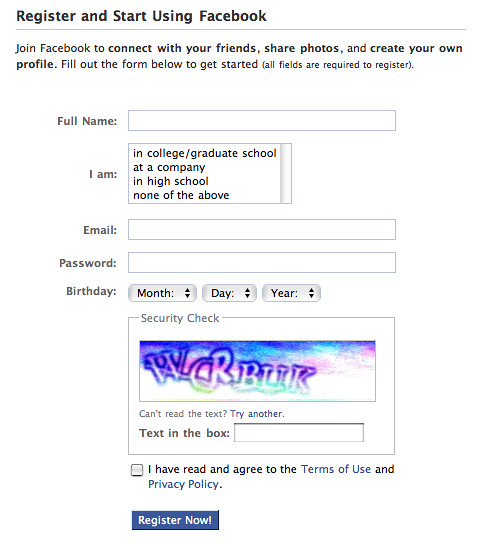
It's no secret that the use of difficult CAPTCHAs (Completely Automated Public Turing test to tell Computers and Humans Apart) in Web forms can confound ordinary people, drop conversion rates, and increase errors in addition to (hopefully!) keeping the bad guys out of your site. As a result, I'm always interested in alternatives to standard CAPTCHA techniques.

CAPTCHAs

Once such approach brought to my attention recently can be found on They Make Apps. Instead of the distorted text strings that typify most modern CAPTCHAs (above), the sign up form on They Make Apps uses a slider that asks people to: "show us your human side; slide the cursor to the end of the line to create your account." Moving the slider to the right completely submits the form and triggers error validation just like a standard Submit button would.

They Make Apps CAPTCHA Slider

I don't have any data that suggests this implementation impacts conversion rates (up or down). It doesn't seem to cover accessibility issues since it requires a mouse or drag gesture to work (no keyboard support). And at large scale, it won't keep spammers out effectively. CAPTCHA busting farms already employ human labor to crack distorted text CAPTCHAs at incredibly cheap rates (moving a slider would be even faster & easier) and it's likely trivial to develop a script that will adjust the slider automatically to submit the form. But it is still nice to see people exploring different approaches.

More on Gradual Engagement

Twitter's recent sign-up redesign boosted new user conversion 29% by using gradual engagement. Naturally these results got people interested: "what is gradual engagement and how does it work?" Here's a compilation of my thoughts on the topic.

What is Gradual Engagement?

In an interview for the Silicon Valley Web Guild, I walked through a simple definition of gradual engagement.

Q:In your book, you mention the concept of ?gradual engagement?. Would you explain what this is?

A: Gradual engagement is an alternative to the all too common sign-up form. I?m sure you?ve encountered your fair share. You come across a new Web service and the first thing you need to do is fill out a registration form. As a new customer experience, that sucks.

Through gradual engagement, we can communicate what Web services do and why people should care by allowing them to actually interact with the application in gradual ways. Have a Web application? Let me start using it before I need to fill in a registration form. Allow me to learn why it?s great before I commit to being a customer.

As an example, we can look at Genia Web service that allows anyone to set up a family tree and share it with family and friends. What?s the first thing potential customers need to do when they arrive at Geni? Fill out a registration form? Nope, they make a family tree. After all, that?s what?s Geni is for. Their approach to gradual engagement has given the service five million profiles in five months!

How Can You Use Gradual Engagement?

In an interview for Rosenfeld Media, I tried to outline how teams can take advantage of gradual engagement for their products.

Q: You mention gradual engagement in your book, where users and site owners engage in a growing dialog via a series of web forms. Is there a standard sequence or syntax in such a dialog, as there often is in a conversation between two strangers?

Answer: What I try to encourage teams to do is reflect the core essence of their service with a few lightweight interactions. If you can make people successful along the way?even better. Will Wright, the creator of the Sims & Spore, has a belief that games should allow people to succeed within the first five seconds. That's a great philosophy to bring to gradual engagement. In fact, I think if you can use lightweight actions to allow people to accomplish something relevant to the core of your product within their first one or two interactions with your service, that's gradual engagement at its finest.

Let me try to illustrate with an example. A while back I worked with PatientsLikeMe. Their core objective is to allow people with serious medical conditions to find and learn from each other. To emphasize what the service does and give people a really lightweight way to get engaged, I advocated letting people simply enter a symptom they had or treatment they were taking as a first step. Basically a simple one input field form. Once they entered this very small amount of information, they'd get a response that told them how many patients on the site shared that treatment or symptom. These would be the people they could find and learn from?which emphasizes the point of the service. From there, people could expand the amount of information they want to share in a similar manner and create a proper account. Compare that process to a registration form that asks people to hand over a lot of personal information without getting anything back. That's a more typical approach and not really in line with gradual engagement.

Design Engagement, Not Forms

In an article for the American Society for Information Science and Technology, I explained why gradual engagement is mostly an information architecture challenge.

Getting people through a form is just one way to gather information. On the web, however, forms are often the de facto choice for data requests. But it doesn?t have to be this way. Instead of throwing a web form in front of people every time we need some information, we can turn instead to the principles behind gradual engagement.

Gradual engagement allows us to gather information from people in a way that gets them involved in our web applications. If done right, gradual engagement can also educate people on the benefits and features our applications provide.

Take for example Tripit. This application for managing your travel plans by using your travel confirmation emails could easily have asked all new members to sign up through a registration form. Instead, to the join the service new members simply have to send Tripit a travel confirmation email. From this email, Tripit creates an account and extracts the information it needs to create a rich travel plan for new members. No form required. People sign up for Tripit by using it and learning what the application can do for them.

Gradual engagement is an information architecture challenge because it requires us to think about the core essence of an application and develop a process that introduces it to people while gathering the information the service needs to be useful along the way. This sequencing of information requests as interactions has the potential to create more rewarding and memorable first time experiences for web applications.

A Different Form of Sign-Up

In my Sign Up Forms Must Die article on A List Apart, I highlighted a few examples of gradual engagement across the Web

I?ll just come out and say this: sign-up forms must die. Consider the process of stumbling upon or being recommended to a web service. You arrive eager to dive in and start engaging and what?s the first thing that greets you? A form.

We can do better. In fact, I believe we can get people engaged with digital services in a way that tells them how such services work and why they should care enough to use them. I also believe we can do this without explicitly making them fill out a sign-up form as a first step. Read more...

For more on Form Design...

web form designCheck out Luke's book about Web form usability, visual design, and interaction design considerations: Web Form Design: Filling in the Blanks.

Gradual Engagement Boosts Twitter Sign-Ups by 29%

Twitter recently redesigned their sign-up process to boost new user engagement. Though the new sign-up process added one more screen, conversions went up 29%. How? Gradual engagement.

Gradual engagement is the process of moving a user through an application or service ? actually engaging with it, and seeing it's benefits. With gradual engagement, new users are not just presented with a registration form and then dropped off a cliff (typical process in many Web applications). Instead, registration is either postponed, or handled behind the scenes and the first time experience is focused on giving people an understanding of how they can use a service and why they should care to.

When done right, gradual engagement communicates the core essence of a service with a few lightweight interactions. If you can make people successful along the way?even better. Will Wright, the creator of the Sims & Spore, has a belief that games should allow people to succeed within the first five seconds. That's a great philosophy to bring to gradual engagement. In fact, I think if you can use lightweight actions to allow people to accomplish something relevant to the core of your product within their first one or two interactions with your service, that's gradual engagement at its finest.

Through their user research, Twitter found that while celebrities (and their tweets) were a big reason people came to Twitter, they did not keep them there. Instead, what kept users on Twitter was the things they were passionate about - hobbies, conversations with subject-matter experts, and friends. This was the core essence of the service that a gradual engagement approach needed to deliver.

Twitter's signup flow

Twitter's previous sign-up process didn't hit the mark. If new users opted to sign-up from the home page, they were greeted with a registration form where they:

  1. Had to create a Twitter account
  2. Were asked to find friends on Twitter by logging into a Web mail account
  3. Were presented a selection of the most popular Twitter users with an ability to follow each one
  4. And finally, if they didn't find anyone to follow or skipped the previous two steps, a blank home page prompting them to tell Twitter "what they were doing".

In the redesigned sign-up flow on Twitter, the first thing people see after creating an account is a set of topics they may be interested in. These topics are organized by the most popular (music, entertainment, fashion, and art & design) and also include current events (programmed by editors at Twitter).

In the previous sign-up process, new users were seeing things that were random (most popular), now the first thing they do is curate what they care about. Which is the core essence of Twitter and, as a result, a great approach to gradual engagement. In the redesigned flow, people new to Twitter start by following topics they care about (with a few lightweight interactions) and are much less likely to end up with empty home screens.

Twitter's gradual engagement

In fact, even though Twitter's new sign-up process is four steps (instead of three) and therefore more time consuming, it has increased completions 29% and the people who complete the flow are much more engaged on Twitter.

Personally, I'd be really curious to see what would happen if account creation were postponed until after people started following the topics and friends they cared about. Currently it comes first and (therefore) before people get direct personal value from Twitter. As I mentioned earlier, a complete gradual engagement approach would postpose or relegate account creation to the background.

More About Twitter's Sign-Up Redesign

Twitter's head of user research, Mark Trammell, discusses Twitter's approach to gradual engagement and the changes referenced above in his talks at the Web App Masters Tour in San Diego and Philadelphia.

More About Gradual Engagement

Getting people through a form is just one way to gather information. On the web, however, forms are often the de facto choice for data requests. But it doesn?t have to be this way. Instead of throwing a web form in front of people every time we need some information, we can turn instead to the principles behind gradual engagement.

Gradual engagement allows us to gather information from people in a way that gets them involved in our web applications. If done right, gradual engagement can also educate people on the benefits and features our applications provide.

For example Tripit is an application for managing your travel plans by using your travel confirmation emails. The service could easily have asked all new members to sign up through a registration form. Instead, to the join the site new members simply have to send Tripit a travel confirmation email. From this email, Tripit creates an account and extracts the information it needs to create a rich travel plan for new members. No form required. People sign up for Tripit by using it and learning what the application can do for them.

Gradual engagement is an information architecture challenge because it requires us to think about the core essence of an application and develop a process that introduces it to people while gathering the information the service needs to be useful along the way. This sequencing of information requests as interactions has the potential to create more rewarding and memorable first time experiences for web applications.

Further Reading

Event & Discount: Web App Masters Tour, Seattle

Web App Masters Tour

On July 13th 2010 I?ll be speaking at the UIE Web App Masters Tour in Seattle, WA about Input: Moving Beyond Static Web Forms. I'll discuss several ways Web applications can collect user input, through both mobile devices and desktop software, without forcing users to complete a lengthy sequential forms.

If you are interested in going, feel free to use the discount code: LUKE for $200 savings on the event cost.

Official Description

A web app can't exist without the user's input. We need the data, but do we need the form? Traditional web forms, made up from text fields, radio buttons, check boxes, and a submit button, have been the mainstay of application design. In e-commerce, social applications, and productivity tools, web forms continue to define crucial web interactions. Thankfully, new approaches for input now give designers more to work with and create better user experiences.

Today's interaction techniques, powered by technologies like Ajax, move us beyond the static submit-and-refresh page model, delivering users real-time feedback and providing lightweight interactions. With these tools, we increase the quality and accuracy of user inputs, encourage further contributions, and reduce the users' pain. What was a static form now becomes an engaging conversation.

Luke will explore several novel ways web applications can collect user input, through both mobile devices and desktop software, without forcing users to complete a lengthy sequential forms. He?ll provide detailed research-based solutions that articulate not only the ?how? but the ?why? as well. You'll walk away with practical web form design solutions you'll immediately put to use.

Luke's pioneering approach to web design has always made us think about how to create great user experiences. His best-selling book, Web Form Design, is a treasure we reference frequently. We easily understand why Yahoo! appointed him as their Chief Design Architect, where he's contributed to major design improvements across the entire company. We know you'll be blown away by his session.

Hope to see some of you there!

Web App Masters: A Simple Ladder of Engagement

At the Web App Masters Tour in Philadelphia, PA Mark Trammell outlined Twitter?s approach to helping new and one-time users become loyal repeaters by discussing the company?s focus on A Simple Ladder of Engagement.

  • To measure success, Twitter doesn?t look at page views. They look at registered (125M) and unique users (190M).
  • Twitter processes 700M searches per day. 65M tweets a day. That?s 10 to 1 searches per day vs. tweets.

Sign Up

  • Twitter gets about 330 thousand sign-ups per day. So sign-up is a great opportunity to shape behavior as it is people?s first time experience.
  • Usually when people come to Twitter they see a big cliff. They don?t know what it is or how to use it. The people that have been using it for years know what is going on, new users don?t.
  • In trying to understand how people ?get? Twitter ?the research team looked at a specific group of users: people that signed up, left, and then came back.
  • The people that got the most out of Twitter were consumers first and then became producers later. They found things they were passionate about, listened, and then found their voice.
  • Twitter wants people to use it as a consumption tool. They see consumption as a way to allow people to settle in and start enjoying Twitter.
  • You shouldn?t have to have an account to get use out of Twitter. They want to provide utility for people without them having to do anything.
  • They key to getting people to what they are passionate about is asking them. The new Twitter sign up process supports this when it surfaces a set of topics people may be interested in.
  • Twitter made the first thing people see after creating an account a list of things they might care about. Before people were seeing things that were random (most popular), now the first thing they do is curate what they care about.
  • The new process is now three steps and more time consuming. But it has a 29% increase in completions and the people who complete the flow are much more engaged because they were exposed to use of the product through the flow.

Magnets, Hooks, & Glue

  • Magnets: things that pull people to a service but may not keep them there. Celebrities are strong magnets for Twitter but do not people there.
  • Hook: get people to return to a service. Connections with family members and subject matter experts get people hooked on Twitter.
  • Glue: a mix of news & information sources, celebrities, friends/family, and local businesses. When people get a good mix of these items on Twitter ?that binds them to the service.
  • Embrace lingo. People have been on Twitter for four years know it but others are confused by it. To embrace lingo, you need to explain how people that they care about to use it.
  • 75% of traffic comes from outside Twitter.com. The Web client is only part of the experience. Twitter?s fastest growth is coming from areas where mobile is growing fastest.
  • Users are 3x more likely to add a friend if they are suggested by another person. Dormant users are 4x more likely to re-engage given social motivation.
  • Nothing on Twitter is there that wasn?t first done by users.
  • Lists: saw people creating multiple accounts to track different topics of interest. People had to log in/out. Lists help with that issue ? easier to switch back and forth.
  • Hashtags: started with people tweeting gas prices using ?#atlgas? ?just made these links to search.
  • Build value: add features and remove features as well. It?s often really hard to remove features but if you want to create a great experience, you have to do it.
  • Twitter?s number one operating principle: be a force for good.

Video: Kent State University Interview

I recently had the pleasure of answering a few interview questions from Kent State University's Tom Froehlich at the IA Summit in Phoenix Arizona.

In the video interview (below) we discussed: why Web forms matter; bridging quantitative and qualitative considerations in design; design considerations in forms; the future of digital input; and more...

Buy This Book:

Format & Ordering Info

Keep Up

Book updates via RSS feed

Follow Luke Wroblewski on Twitter

About Rosenfeld Media Books

What we publish, and how our books are different.